What a Week: First Teeth!

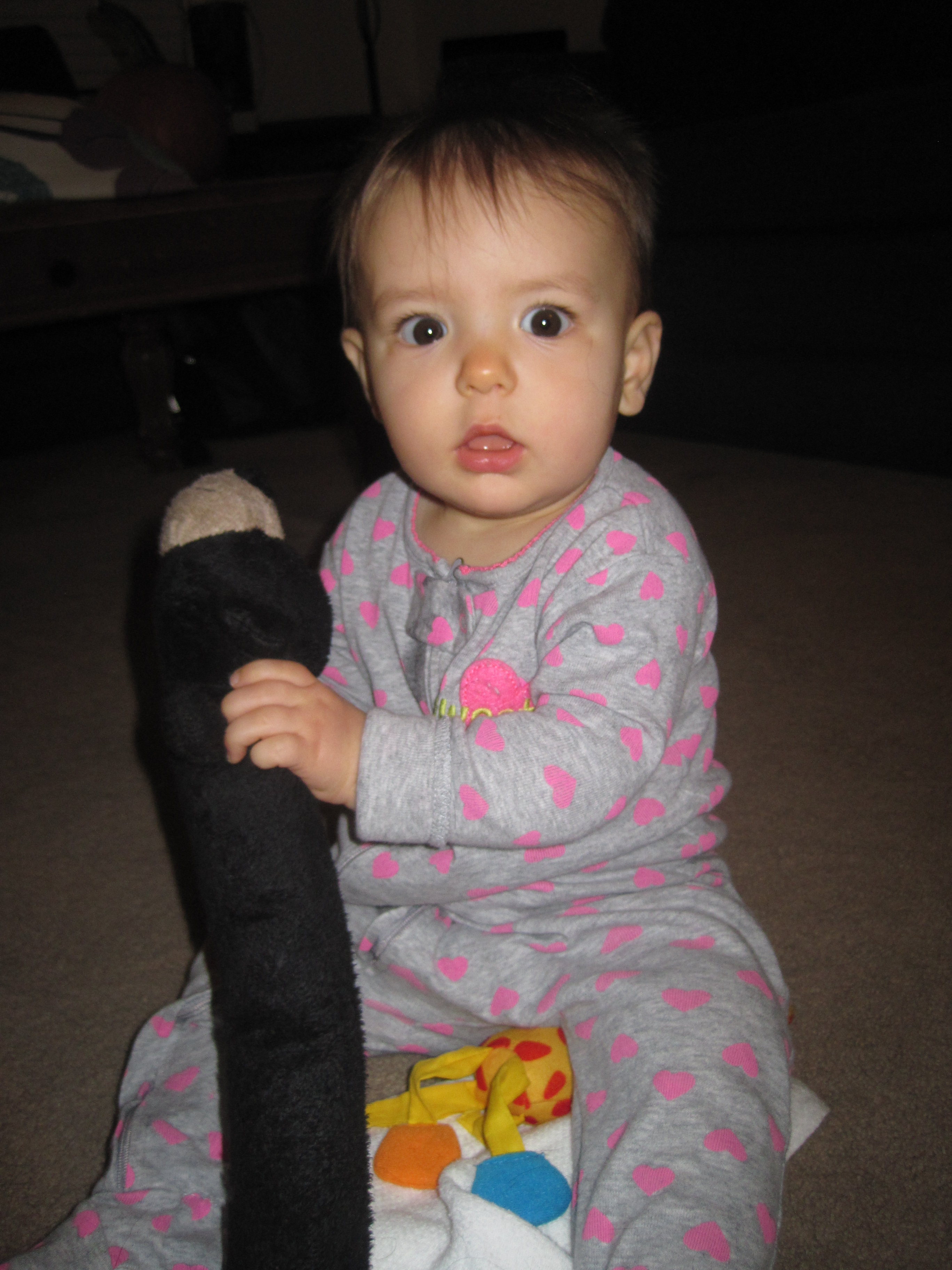
Within a span of one week, S has started crawling and cut two teeth (bottom front)! No wonder we had so many sleepless nights! Hopefully this means things will calm down a little. Wait, now she crawls, so it is about to get NUTS. M is all up in arms about her moving closer to her things. We can’t keep her away from the dog toys and often find her sucking on them – like this photo taken early morning (hence the darkness):

10-11-13 S with dog toy 2

10-11-13 S with dog toy

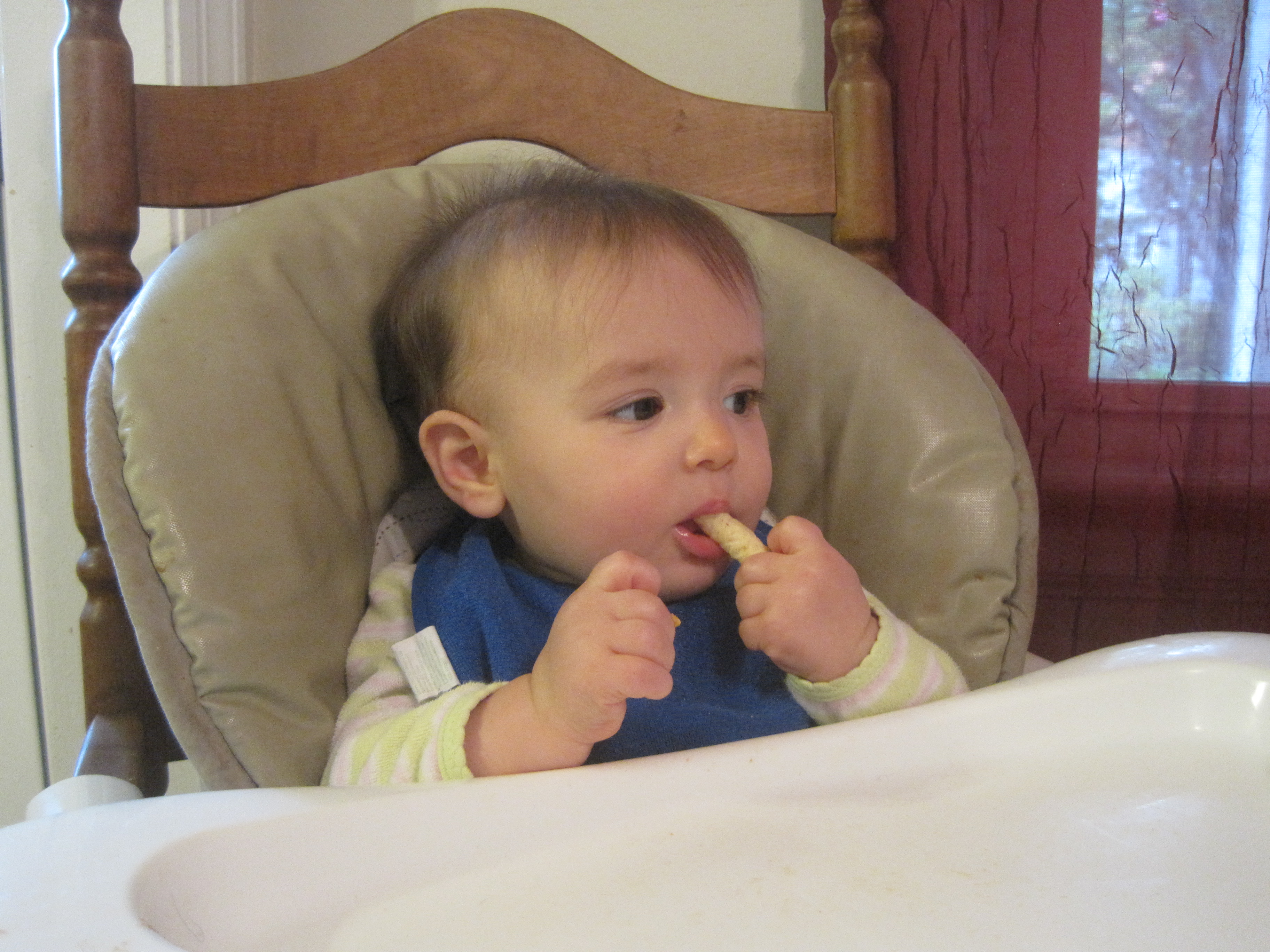
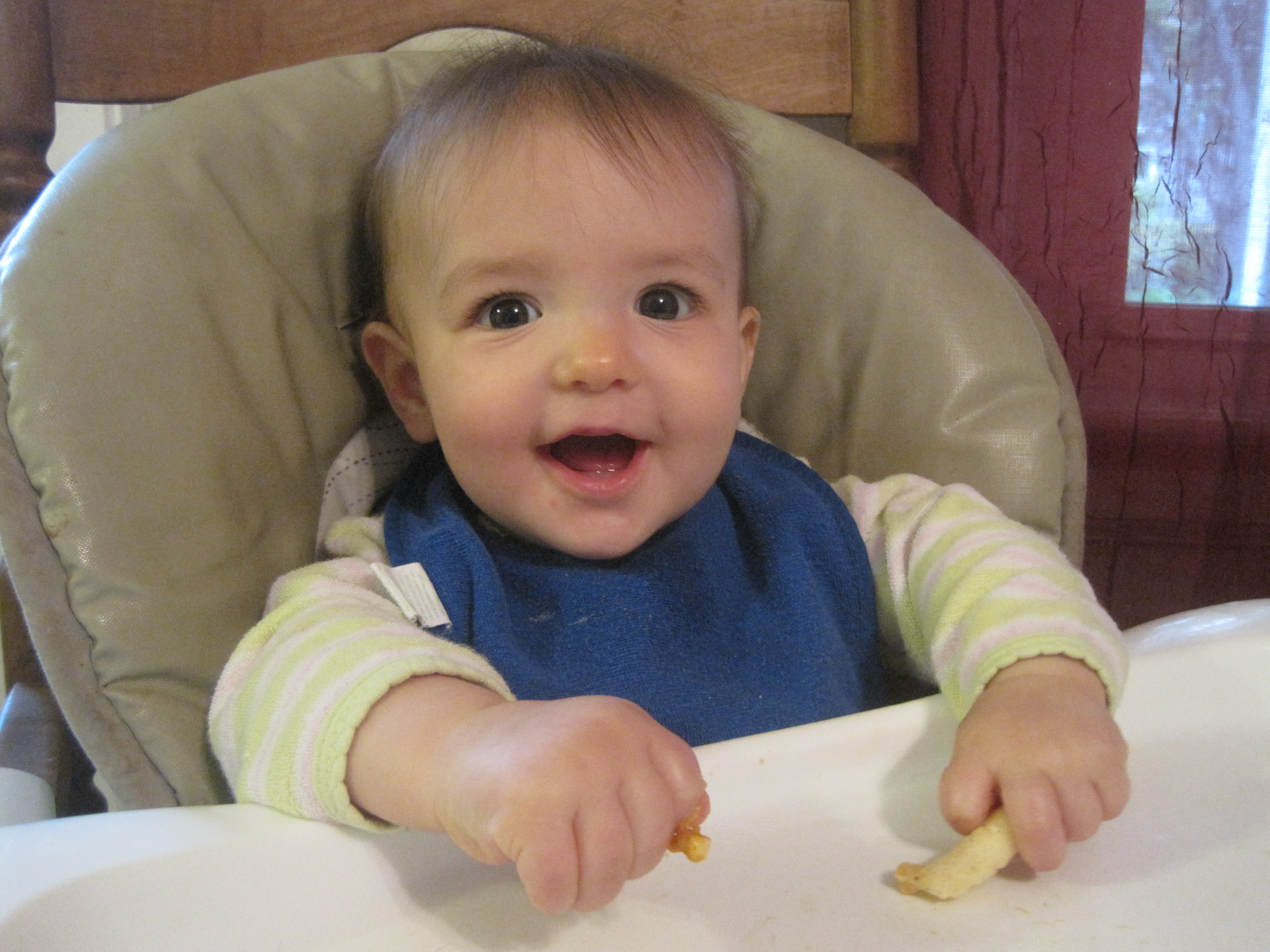
And because she’s got some new teeth, we rewarded her with her first finger food – some puffs and some baby cheese puff things. She didn’t really know what to do but managed to get a little bit in her mouth and chew.

10-13-13 S eats puffs1

10-13-13 S eats puffs

It’s all going by way too fast with this baby. Here we are as a family picking out our pumpkin. We would have taken S out of the Ergo for the photo, but she was fast asleep.

10-12-13 Family Roses Berry Farm

We had a check up with S’s eye doctor and she seems to be doing fine – no lazy or crossed eyes. We’ll check back with them in six months, if we don’t see any changes before, to have her eyes dilated again and see how the far-sightedness is progressing.

Posted in Babies, Miss S. | Leave a comment

CTWorkingMoms.com

Screen Shot 2013-10-14 at 12.09.22 PM

You can find me over here today and for the next few weeks on Mondays at noon.

Posted in Blogging, Life, Motherhood | 1 Comment

S Crawls

At just about 8 1/2 months, S is starting to take her first few crawls. She’s mostly interested in the dog’s toys, so that’s what we tease her with to get her to crawl a little.  Here’s a fun little video of some of her first crawls.

Posted in Miss S. | 1 Comment

8 Months Old

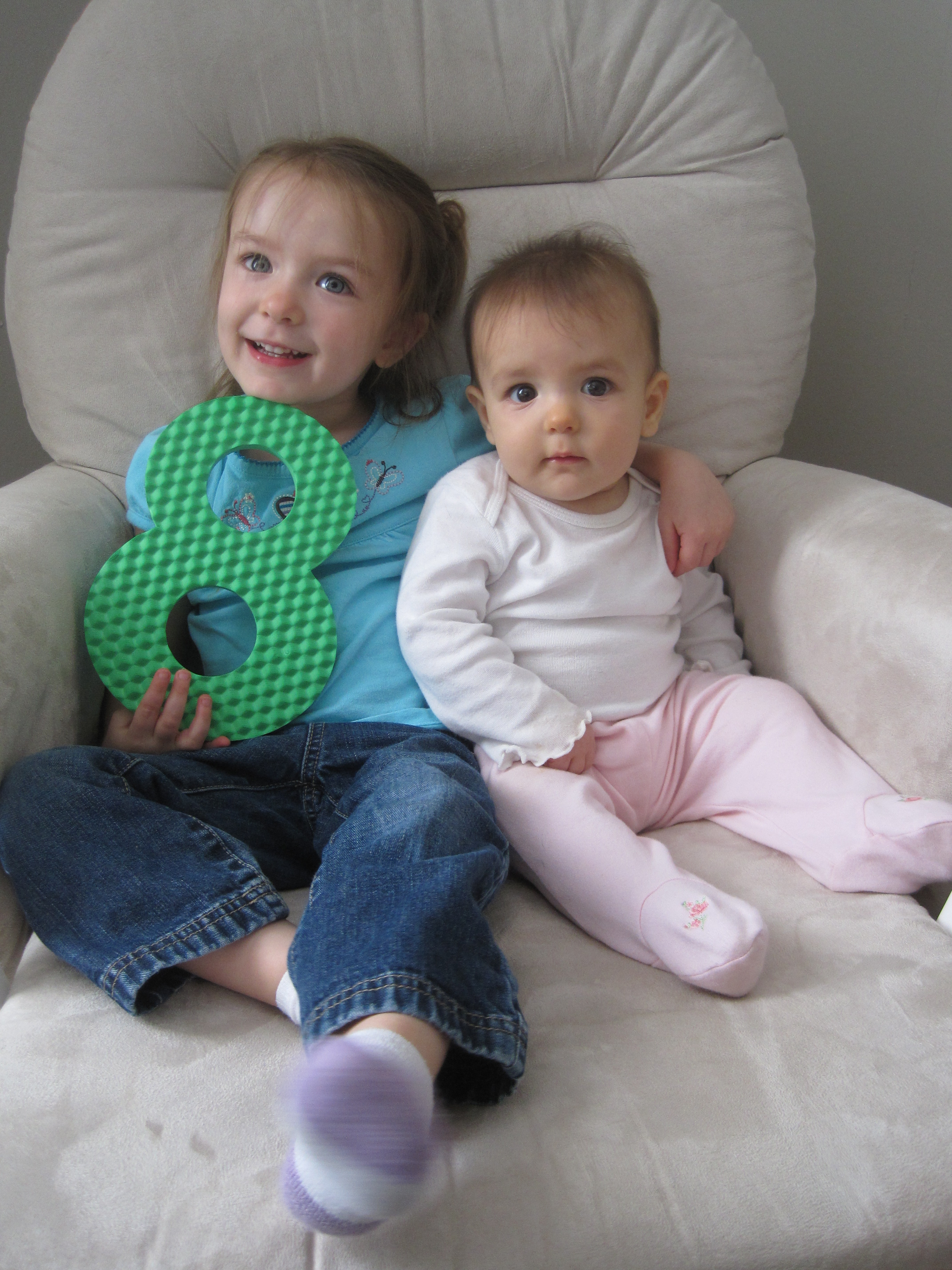
Miss S is 8 months old! She continues to roll everywhere. She can cross the room pretty quickly and get exactly where she wants to go.  As of the last week she can now get from laying on her stomach back to sitting up. She’s starting to be more vocal and has a high pitched squeal. She loves watching M and my mom says she looks for her at lunchtime during the week when she’s at school and not sitting next to her at the table. She sleeps from about 8pm – 5:30am. Still no teeth, but we think there is at least one about to break through. She smiles a lot and laughs some. She loves watching the cat and the dog. She really loves swinging in her swing. She’s taking a 1/2 tsp of Miralax everyday to keep her regular. She really seems to enjoy her baby food. She’s eating some meat baby food and a lot of prunes, sweet potatoes, carrots, squash and pears. She’s just starting to get up on all fours and is also crawling backwards a little bit. I don’t think it will be long before she’s crawling. She grabs for everything in site and puts it all in her mouth. M really wanted to be in her 8 month photo, so I am including one with M and one solo (taken by M). She’s a really amazing baby.

9-25-13 S 8 months old

9-25-13 S 8 months 3

Here’s M’s post from when she was 8 months old.

Posted in Miss S. | 1 Comment

App Review: Book Crawler

I went to a baby shower this weekend where they asked each person to help build the new baby’s library by bringing a book instead of a card and to write something in the front of the book. I like the idea, but people tend to give the same books. This got me thinking about my own kids’ library. My older daughter loves books and going to the library to check them out, but she also has a large collection at home.

IMG_4955

Most of our books were given to her new or handed down. My mom just retired from teaching, so she has several books to give us. I was talking about this at the baby shower and someone mentioned that I should catalog our books on my phone using an app. I’ve decided to go with Book Crawler ($1.99). I chose this one because you can scan ISBNs into it instead of entering information manually. To do this you just have to download another (free) app called pic2shop. Now, I don’t buy books for myself because I now use an e-reader (much easier reading in the dark while feeding a baby).  But another thing I liked about this app is that it syncs with Goodreads. I use Goodreads to keep track of what books I’ve read and how I rated them. I also use it to look at how others rate books when I am looking for something new. Last night I scanned the first of my three year old’s books and I was hooked. I wanted to bust into her dark room and scan them all. I had to slow myself down and tell myself that I really needed to scan them all at once when she’s not running around moving them around, so I don’t miss any or scan duplicates.

photo

Like any good organization project that I take on, I was very excited to get started and then about half way through I wished I’d never started. It took me about an hour and a half but I got just about all of her books – 159 to be exact! Her favorites right now are Cookie’s Week, Pete the Cat, anything Curious George, Big Red Barn, Cinderella, Hop on Pop and Olivia.

Posted in Reading, Technology, Toddlers | 3 Comments

Options for Donating Milk

The female body is a pretty amazing thing.  I continue to be amazed that while I went to work everyday and sat in front of a computer, my body went to work creating a human baby. And then, it knew when to release this baby into the world and then it knew how to make something that would keep that baby alive. And on top of that, this little baby human that can’t walk, talk, communicate with words, knew (in theory) how to get that something out of my body so that it can stay alive. And as I sit here typing, my body continues to just go on making milk. And for me, it makes a lot of it.

I don’t know how many moms will be able to relate with me on this, or how many will hate me for posting about this topic. I don’t know how many will think it’s neat that we can feed each others’ children and or how many might think it’s weird and maybe even gross? But, if even one person is looking for this information and having trouble finding it in one place like I was, then it’s worth writing about. Disclaimer: I am in no way formally educated about breast feeding and I speak only from my own experience and research.

A little background on me. My first child failed to latch on. We tried everything. I had a crazy supply and on top of that I pumped every three hours on both breasts for 20 minutes. I was over pumping, but I didn’t realize it. And as you may know, breast milk production is based largely on supply and demand. I bought a chest freezer and I stock piled. I stopped pumping during the day just before she was three months old and I headed back to work. Because my supply was so plentiful, I suffered greatly from clogged ducts and the fear of mastitis consumed me. I also worried that I was suffering some PPD related to pumping so much and not bonding with my new baby. I fed her pumped milk exclusively for a few months and then she got one breast milk bottle a day for several more months from my freezer supply. It’s what worked for us.

This time around we got the tongue tie taken care of before we left the hospital and my second daughter breastfed successfully. We had our hiccups, but we fell into a nice groove pretty quickly without much assistance. Again, my supply is wonderful. Because she’s home with my mom during the day for now, we are able to save hardly touched bottles until the next feeding, something we would not get away with at daycare. This allows us to use less milk during the day. I don’t freeze much lately, but when I was prepping to go back to work I was able to build up quite a stock pile again.

So, I found myself with over 100 ounces of milk that I did not need in the standard freezer. Milk in a self-contained freezer unit of a refrigerator/freezer is good for 6 months, per this website. If I still had that chest freezer, it would have been good for 12 months. I don’t anticipate needing any frozen milk until she heads to daycare at just three months shy of a year old and by then this frozen milk would no longer be usable. Also, lately in New England we’ve been losing power for longer than a day for the last few years, so I wanted to be sure I didn’t have a freezer full of milk to lose! So, I did some research regarding breast milk donation and I’m documenting those options here.

By far, this website laid out the options for me in the best way.

As they state, there are really three options:

  • Formal milk donation to a HMBANA milk bank, to help babies in the NICU
  • Formal milk donation to Prolacta Bioscience, a for-profit milk processing company, usually through a milk depot that calls itself a “milk bank”
  • Informal milk donation, mother-to-mother

For us in New England, the closest milk bank, as listed by Human Milk Banking Association of North America, is near Boston. I contacted the milk bank directly and they could not take my milk. Since my milk was stored in a self-contained freezer unit of a refrigerator/freezer, it needed to be no older than 3 months. Also, I would have needed a minimum of 150 ounces. I did have close to that, but wanted to keep some for me. I contacted them for more info and they wanted me to stress that the 150 ounces doesn’t have to be at one time, it can be over time. Milk in a freezer like mine needs to be less than 3 months old and milk from a deep freezer needs to be less than 6 months old. They can accept milk pumped up until your baby is one year old. If you think you might like to donate, please visit their website and email them for more info: donate@milkbankne.org

The second option is donating to a for-profit milk processing company. It looks like they do a lot of really great things, but some of the stuff I read led me to feel that this was not the option for me as long as the other options existed. It looks like many other milk banks not associated with HMBANA sell their milk to the for-profit company. Just do your research and do what feels best for you. You can visit Prolacta’s website for more information.

The third option, and the one that became the only option for me, is informal milk donation from mother to mother. I started out with the suggestions from my resource above. I also contacted the birth training coach from my hospital and she sent me a few resources but was not able to help me directly. You could use these resources if you’re looking to donate, as well as if you’re looking to receive milk.

  • Milk Share: A portal for connecting with other mothers. Donors sign up for a free account. If you are wishing to receive milk you’re asked to sign up with a $20 donation.
  • Milk Match: Another portal for connecting with other mothers. I signed up for an account, but the admin never approved my account.
  • Facebook: You can connect with other mothers through local groups. I posted my offer of 100 ounces of breast milk to one local and one non-local mom’s group. It is ultimately here where I made the connection with the family to whom I donated (locally).
  • Eats on Feet (a play on Meals on Wheels): I connected with this group’s local group on Facebook and was going to post there if I didn’t have any takers on the mom’s group page.
  • La Leche League: I’m not really sure how involved they’d get on connecting you to another mom, but I’m sure they’d have further resources.

You’ll have to decide how you feel about receiving milk from a donor – would you like them to be tested? Would you like to look into pasteurization? My recipient felt reassured by my health profile and the fact that I use this milk for my own child as well. Overall, this experience has been very positive for me. I connected with the recipient mom easily through Facebook (we even had a mutual friend) and was able to drop off the milk to her locally. She tells me how nice it is to go into her freezer and not worry about the milk she’s taking out. And her appreciation motivates me to drink more water and pump more, in hopes of being able to make another donation to her in the future.

Posted in Babies, Motherhood | 2 Comments

App Review: ArtKive

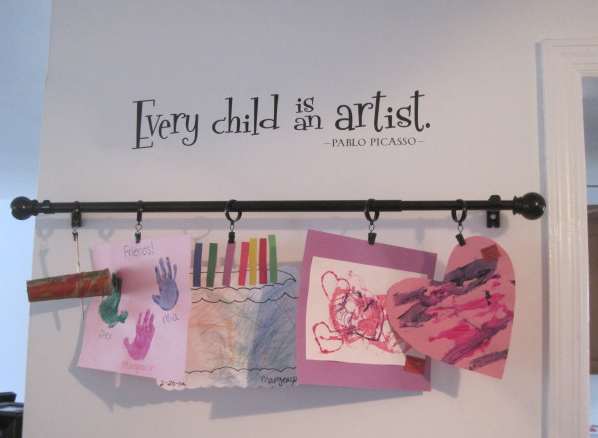
Oh, how I wish I did save all my daughter’s artwork. But, alas, I’m a tosser, not a hoarder. More power to you if you’ve got the space (and the time) to organize and save all of that artwork that comes home from your child’s school or daycare. There are some truly adorable things and then there are some things that are not and even then I feel bad for throwing them away.  Will she want a box full of collages made from photos cut out of magazines when she’s 10? 15? 20? 25? Probably not. There are a few select things that I keep, usually things that display the size of her adorable little hands or feet at a certain age. But what to do with everything else? Well, everything gets a turn on display in our dining room. I actually created this from something I saw on Pinterest! And it actually turned out half decent – it’s amazing.

Screen Shot 2013-09-09 at 12.19.33 PM

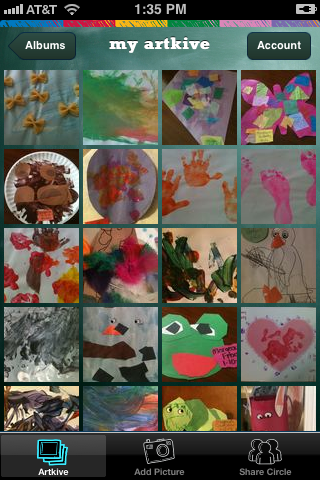
But what to do with the old art when I need room for the new stuff? Well, I downloaded this app on my iPhone called ArtKive. It’s advertised as The Clutter Free Way to Save and Enjoy Your Child’s Artwork. Since I found this app more than halfway through her daycare career, I had to backtrack and was lucky that her daycare puts the date on almost everything. Artkive lets you file stuff by child and you can add a date, grade, title and description.  I decided to put all of her stuff from her daycare center into one album instead of creating one per year. I took photos only of the ones that I thought were extra cool. I think I ended up putting about 50 photos in.

photo

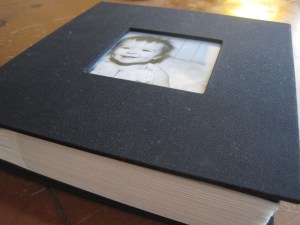
When she left that daycare, I decided to print her a photo book of my favorite pieces of her artwork from her time there. The only downfall was that the book was pretty expensive. I think it came out to around $50 with the shipping. Had I created the book myself with photos on shutterfly or somewhere, I could have used a free photo book coupon and gotten the book much cheaper. But, I liked how Artkive formats each page consistently and the ease at which I could add them on the fly right from my phone instead of uploading photos onto my computer and then onto shutterfly. Since I was making a book that spanned almost three years, I decided I could spare this expense for the effort it saved me on creating the book myself.  Here’s the finished product:

Screen Shot 2013-09-09 at 12.30.35 PM

Posted in Organization | Leave a comment

Documenting Two Little Lives Through Photos

I’ve always done a pretty good job of documenting the major activities of my life with photos. In high school I did some traveling and made an album for each trip. With the addition of children into our lives, I found it challenging to continue to be so vigilant with my photo organization. I don’t take a ton of photos, but I do try to take photos at events, milestones such as age (1 month, 2 months, etc. until a year old and then yearly) and just when we’re being silly around the house. It took until about a year after my first daughter was born, but I finally got a system down that works for me. Every time I take photos off the camera, I go through the first three steps below: labeling photos, printing prep and filing photos. It might sound like a lot of work, but it’s usually pretty quick and I’ve gotten into a nice routine with it. I will preface this by saying that I have two children under four years old. This system works for me now, but only time will tell if it’s feasible in the long term or if it will need to be modified as the kids get older.

Choosing and Labeling Photos:
About once or twice a month, depending on how many milestones we’ve had, I take all of the photos off of my camera and phone. Here’s the part that it took me a year to perfect – I label the photos with the date in this format Month – Day – Year and a brief description. So, for example, 10-31-14 M Monkey, to indicate that this photo was taken on Halloween is my daughter M in her monkey costume.  I look through all the photos before labeling, trashing the ones that are blurry or duplicates. The beauty of digital is you can take a bunch of photos to get just the right one.  But then you have a ton of photos! Please, don’t feel bad deleting photos of your children. Just pick the best ones and go with those.  If you need help, take it two at a time. Compare two, trash the one that’s not as good and then move onto the next until you’ve narrowed it down. Once my photos are chosen and labeled correctly I prep them for printing.

Screen Shot 2013-09-09 at 12.05.28 PMPrinting Prep:
I print my photos through Walgreens.com. I keep a folder in my account called TO PRINT. Every time I take photos off of the camera, I also upload them here. I don’t print photos on a regular basis, but when the urge hits me, I have them already saved in one place and can just place an order for prints. I don’t have to figure out when I last printed photos and what photos have been printed and what needs to be printed.  I print photos about once a quarter or so.Screen Shot 2013-09-09 at 10.04.09 AM

Filing and Backing Up Photos:
I have a folder setup on my computer called Pictures and then under that a folder for each child. My current dilemma is where do I file photos that contain both children now that I have two?! So, I’m moving towards just having a folder for family photos and another for each child’s milestone photos – such as S at 8 months old, M at 3 years old, etc.  Since the photos are labeled starting with the date, they are always ordered chronologically. You could organize additionally by adding folders with the year – either calendar year or by year of their life, such as Year One. Every couple of times I take photos off of the camera and file on my computer, I also backup our photos. I use a 1TB USB External Hard Drive like these. Between the external hard drive and the upload to Walgreens, I’ve got myself covered in case of a computer crash. There are also so many other options out there now! Once photos are filed on my computer and uploaded to Walgreens.com I deleted them from my camera so I remember which ones I’ve already dealt with. I make sure I have enough time at a sitting to do all the steps above (minus the backup) which usually means I’m doing this at night when the kids are asleep.

Printing and Storing Photos:
As I said before, I print photos once a quarter or so from the TO PRINT folder I’ve created on Walgreens.com. When I print that group of photos, I will change the name of the folder to PRINTER 1/1/13 (or whatever date I print them) and then will start a new TO PRINT folder on my next upload. Right now, I print all photos and file them in photo albums like these which are available at Target.com for under $15 and hold 200 photos.

IMG_4952

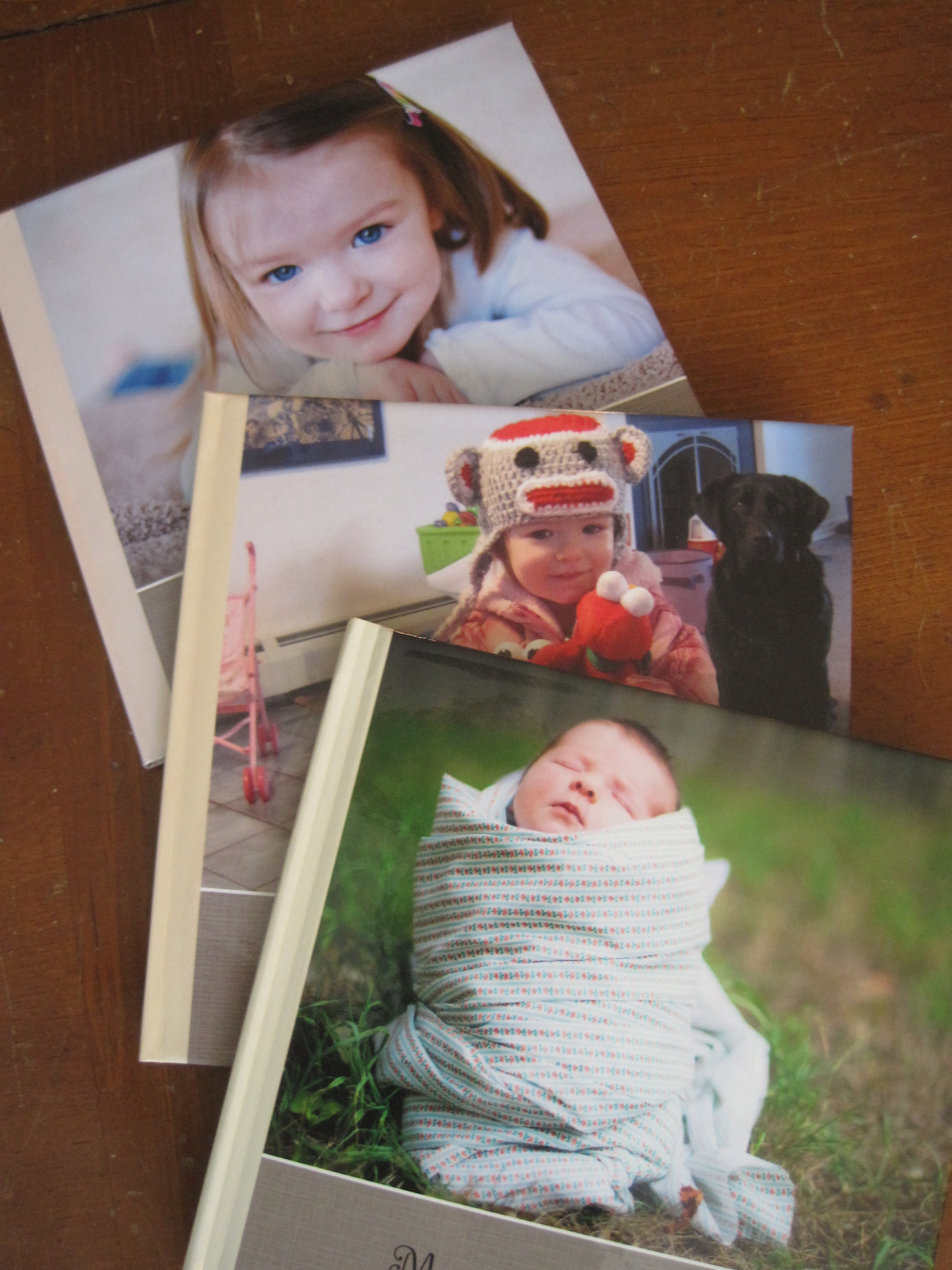
With the addition of my second daughter I wondered if I’d keep these books for each child, but I think I’ve decided to keep these albums for our family. I do think about what my kids will take with them when they move out, how they’ll bring their photo memories with them to college, or to share with their family one day. So, I print a book each year (so far!) for each child. I organize these by their age, not by the calendar year. So M has a book for her first, second and third year so far. Because I organize my photos in a folder by date, it’s pretty easy to click through photos and add them in order. I created the books on shutterfly.com. In order to do this, you’ll need to create an account. This will allow you to start the book and save the changes so you can work on it for as long as it takes. The first time I create a book, it took a while. I had to choose a layout, colors, etc. but each year I just start with the same template so the books follow the same style and this saves a lot of time. Shutterfly has a million different ways to customize your photobook! Find some time and explore this for yourself! I usually compile and print these each year after I have the photos from their birthdays labeled. And then I wait until I can get a coupon code for a free 8×8 20 page photobook. I’ve found one every year for three years so far. You just pay for any additional pages and for shipping.

IMG_4954

All of this work might seem time consuming and I often wonder if my husband appreciates all the time I spend organizing the memories of our lives. The truth is, he doesn’t even realize I work so hard on this, but I know it’s such an important part of documenting our family and my children will be so happy to have these when they are older. I have such fond memories of looking through our photo albums as a child that I just don’t want to deny my family that pleasure even though we’re in such a digital age. It’s what works for us at this point in our family’s young life – what works for you to document memories?

* Use coupon code SummerBook on shutterfly.com TODAY to get a 20-Page 8″x8″ soft cover or hard cover Photo Book (regularly priced $19.99-$29.99) FREE, or use the code to get a $29.99 credit on a larger size book. Expires on 09/11/2013

Posted in Organization, Technology | Leave a comment

First Day of Preschool!

9-10-13 M first day preschool


9-10-13 M fist day preschool

Posted in Miss M. | Leave a comment

7 :: September

“The opposite of love is not hate, it’s indifference. The opposite of art is not ugliness, it’s indifference. The opposite of faith is not heresy, it’s indifference. And the opposite of life is not death, it’s indifference.” – Elie Wiesel

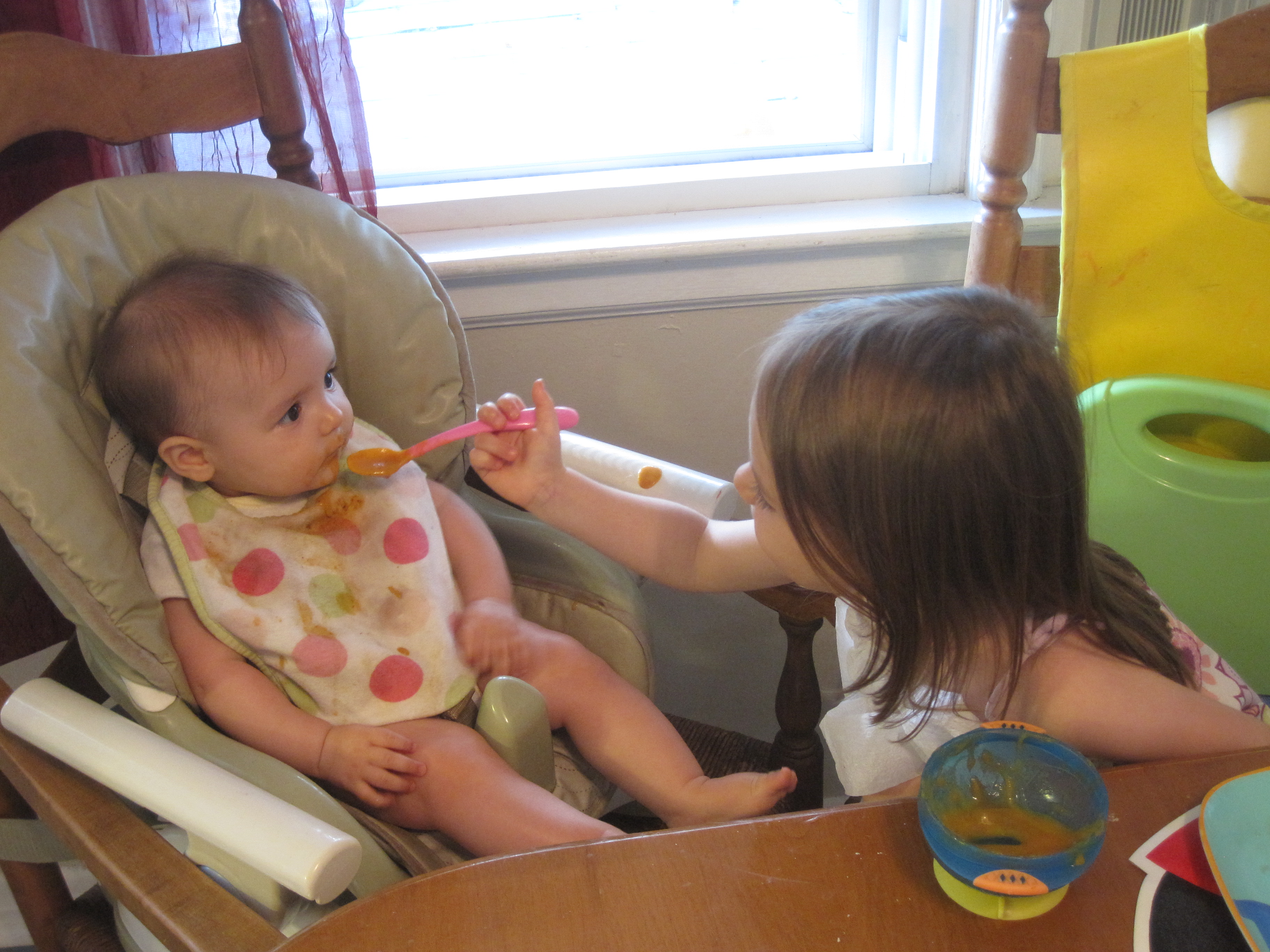
Good quote, but I don’t think it applies to preschoolers. M was pretty indifferent to S and now she’s not and I LOVE IT! She’s even been wanting to feed her at dinner time.  This is all well and good, except it takes M an hour to consume four blueberries and a bite of hard boiled egg, so another distraction at the table isn’t really needed. But it’s super cute to see her feeding S so we’ll allow it from time to time. Now we’re working on her using her words when she doesn’t want S near her (after S has “rolled” over to her). Instead of words she’ll just use her foot or hands to shove her away. I repeat – it should be very interesting when S starts crawling.

IMG_4900

Posted in Miss M., Miss S., Sisters | Leave a comment